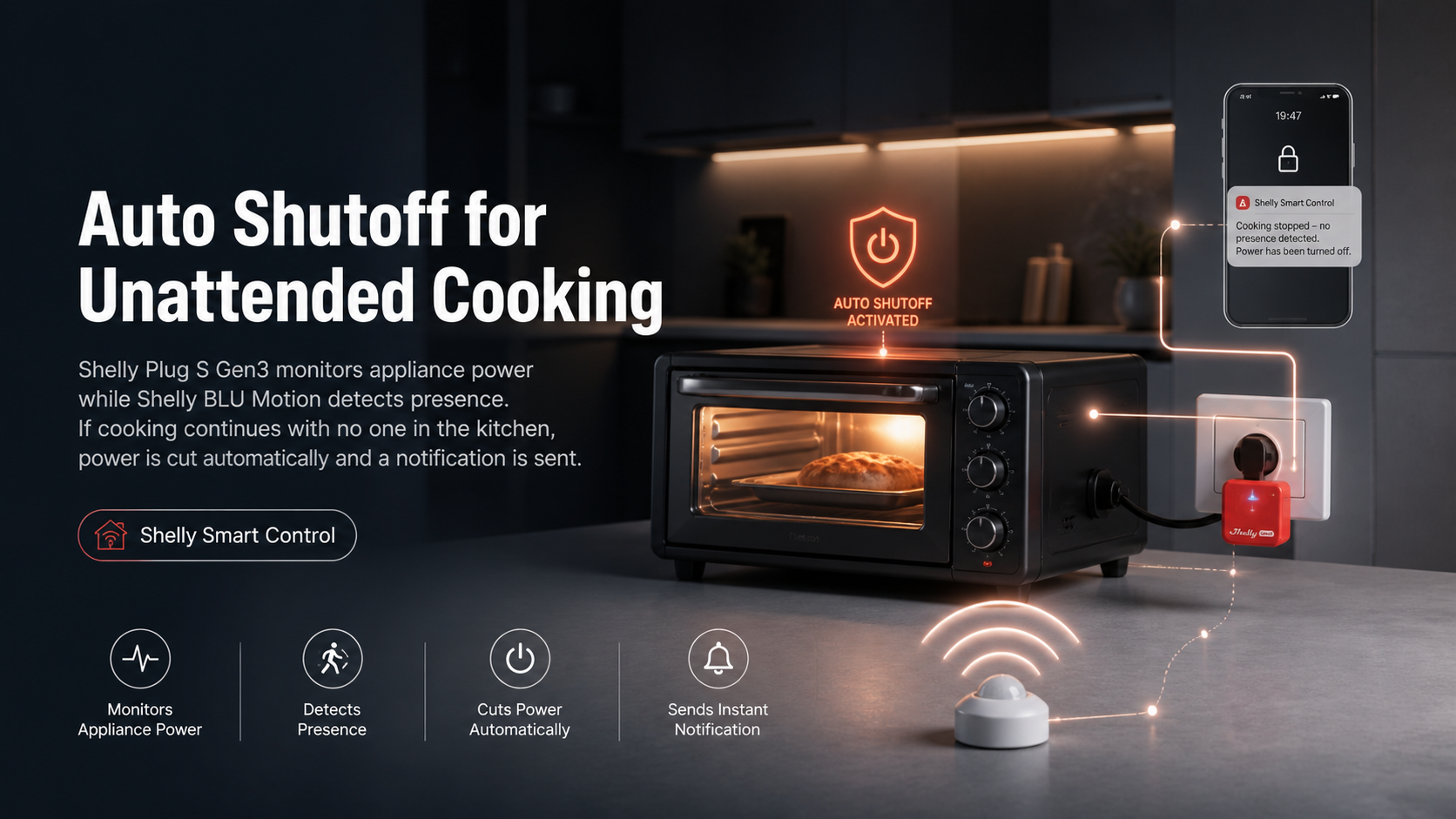
A cooking appliance left running unattended is one of the most common kitchen risks. This guide pairs Shelly Plug S Gen3 (power monitoring) with Shelly BLU Motion (presence detection) to cut power automatically — and notify you — if the appliance keeps drawing power with no one in the kitchen.
Overview
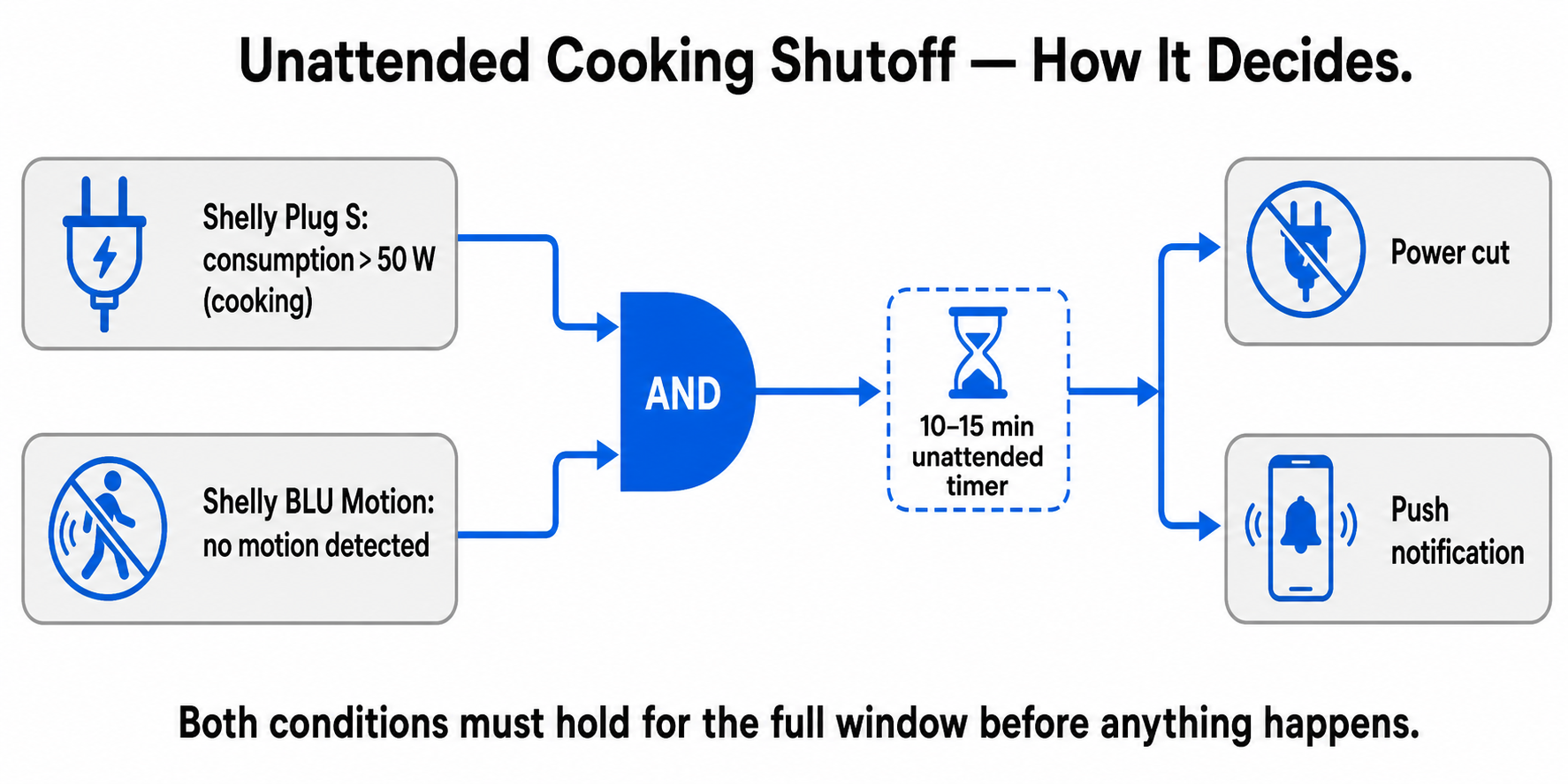
A cooking appliance left on and unattended — through distraction or being pulled away by something else — is one of the most common household risks. The solution: Shelly Plug S monitors whether the appliance is actually drawing power (i.e. actively cooking), while BLU Motion monitors whether anyone is present in the kitchen. If the appliance is running but there's been no motion in the kitchen for a set time, power is cut automatically and a family member gets a notification.
Important scope note: this is for a portable appliance plugged into an outlet — a single hot plate, a portable induction cooktop, a toaster oven, and similar, up to 2500 W / 12 A (Plug S Gen3's capacity). It is not for a built-in kitchen stove/oven — those are typically hardwired on their own dedicated circuit, outside the scope of a standard smart plug.
Prerequisites
-
Shelly Plug S Gen3 (up to 2500 W / 12 A — check the appliance's power rating on its label)
-
Shelly BLU Motion sensor, mounted with a view of the cooking area
-
A Gen3/Pro Shelly device in the kitchen acting as the sensor's BLE gateway (this can be the Plug S Gen3 itself)
-
Shelly Smart Control app
Steps
-
Connect the appliance through the Plug S, plugged into a standard outlet.
-
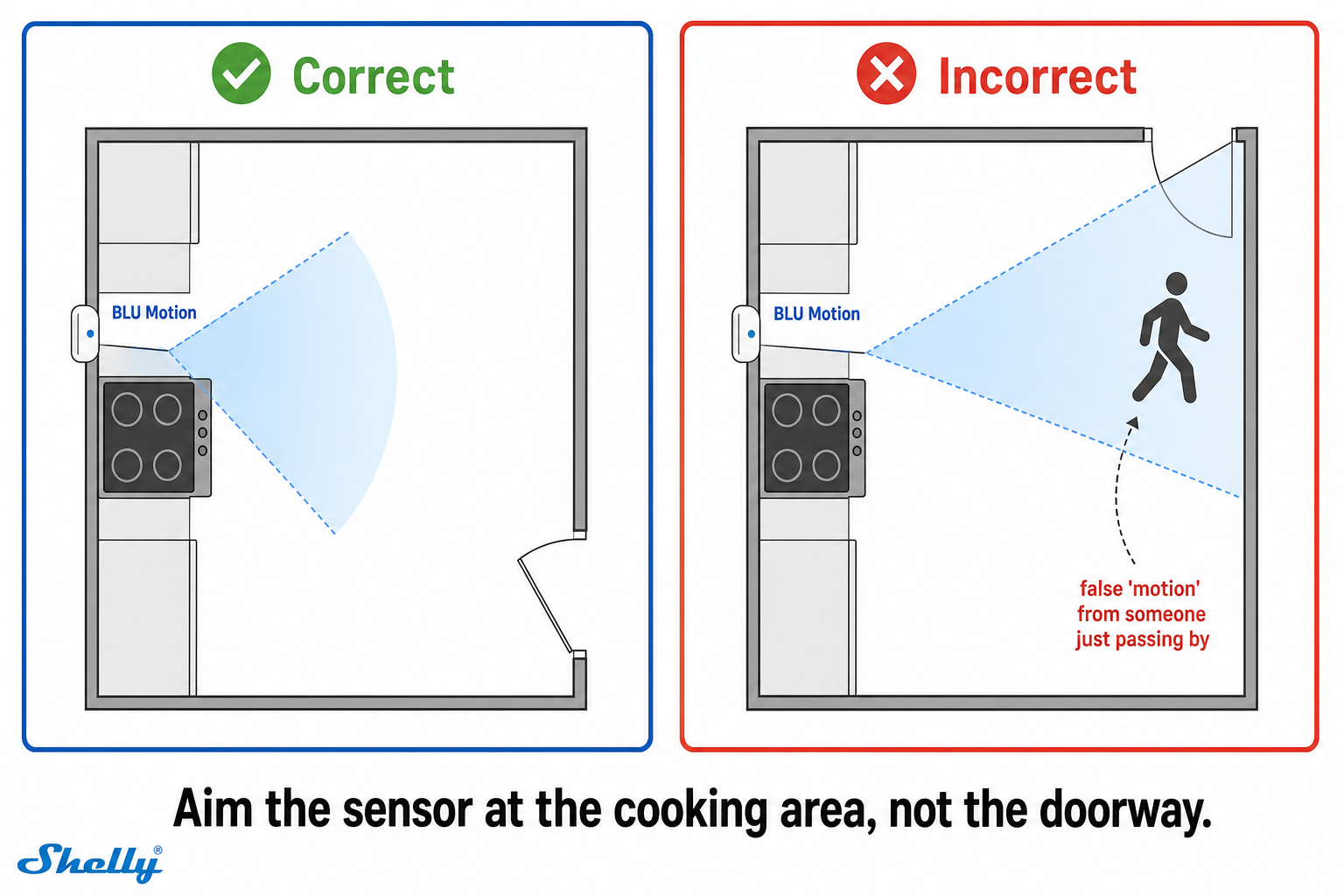
Mount the BLU Motion sensor so it covers the area in front of the stove/hot plate, not the kitchen entrance (so it doesn't just pick up people passing by the kitchen).
-
Pair the sensor as a BLE device through the gateway device.
-
Set the sensor's Blind Time (Settings) to around 60–120 seconds — this is the sensor's own "cooldown" period, not the total wait time.
-
Create a scene — When: Plug S consumption is above a threshold (e.g. 50 W, indicating the appliance is actually cooking) AND BLU Motion reports "no motion" → Do: turn off the Plug S. Use the "Once" condition type with an added delay of 10–15 minutes — this is the total amount of time the appliance can go unattended before power is cut.
-
Add a notification to the same scene — a push notification when it triggers, so you know the appliance was shut off automatically.
Troubleshooting
-
Power is cut while someone is cooking → check that the sensor faces the cooking area and consider raising its sensitivity or the scene's delay.
-
The scene never triggers → check that the power threshold is below what the appliance actually draws while cooking.
-
The sensor shows no updates → check that Bluetooth gateway is enabled on the gateway device and the sensor is within about 10 m.
Tips
-
The power threshold needs to be calibrated per appliance — test what the Plug S shows while the appliance is actually cooking versus how much it draws when off/in standby.
-
The shutoff is intentionally abrupt — the priority is safety, not finishing the cooking. Communicate this clearly so it doesn't surprise anyone.
-
Higher BLU Motion sensitivity reduces the risk of a false "no motion" reading, but can increase false triggers from minor movements.
Devices Used
Shelly Plug S Gen3, Shelly BLU Motion
Documentation & References
Why It's Worth It
One device tracks consumption, another tracks presence, and the logic comes together in a single scene, with no extra components needed. Simple, but it directly addresses a real kitchen risk.
Conclusion
A cooking appliance left on with no one in the kitchen now switches itself off after a set time. You get a notification when it happens, so you always know why it stopped.
--- vertical: general-home-safety concept: unattended-cooking-shutoff complexity: intermediate devices: [Shelly Plug S Gen3, Shelly BLU Motion] --- 


